
How do I import my Goodreads reviews?
Importing your Goodreads reviews into BookSirens is a great way to boost your ReaderRank so you qualify for even more ARCs than you already do. A higher ReaderRank also increases the chances of getting your requests approved by publishers.
Following is a step-by-step guide on how to import your Goodreads reviews into BookSirens:
Note: Currently, Goodreads only allows to you export your reviews via their desktop website. The Goodreads app does not have this feature. If you're on a mobile device, you need to open Goodreads in your mobile web browser instead of using the Goodreads app. Then you need to scroll down and switch to the desktop version.

- Go to https://www.goodreads.com/review/import and make sure you're logged into your Goodreads account
-
Click Export Library
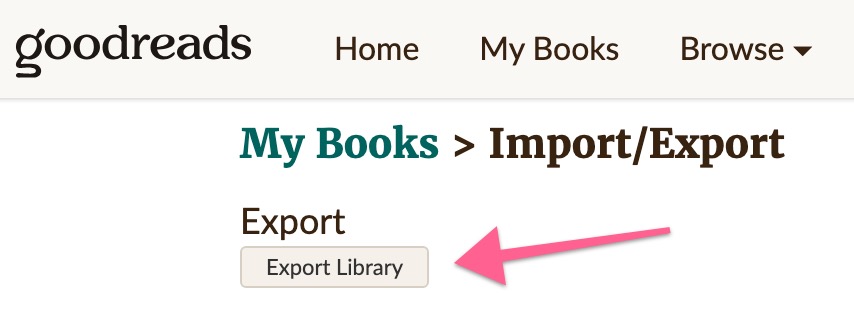
- Wait for Goodreads to work. This may take a few seconds if you have written a lot of reviews on Goodreads.
-
Once Goodreads is done, a link will appear. Click the link to download the file Goodreads generated to your computer.
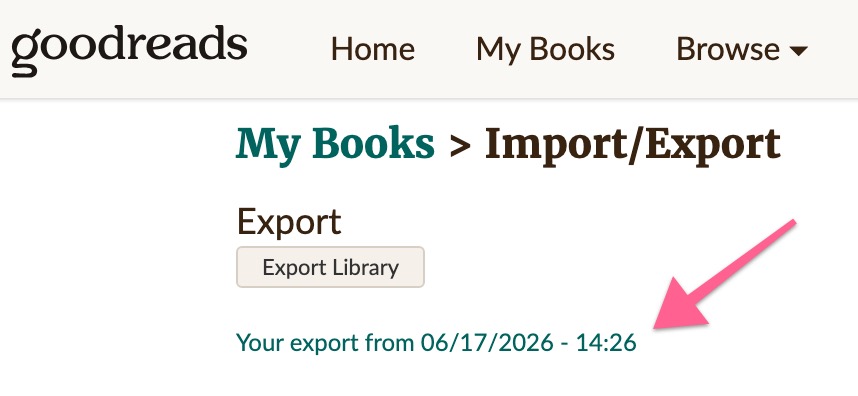
- If clicking the link does not download the file
-
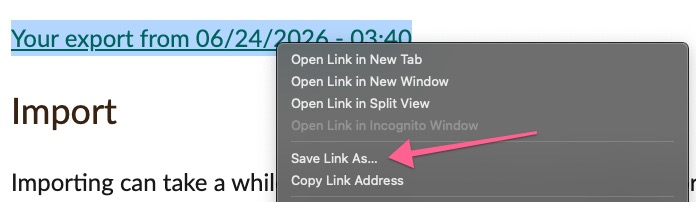
On a computer, try right clicking on the link and choosing Save Link As...
-
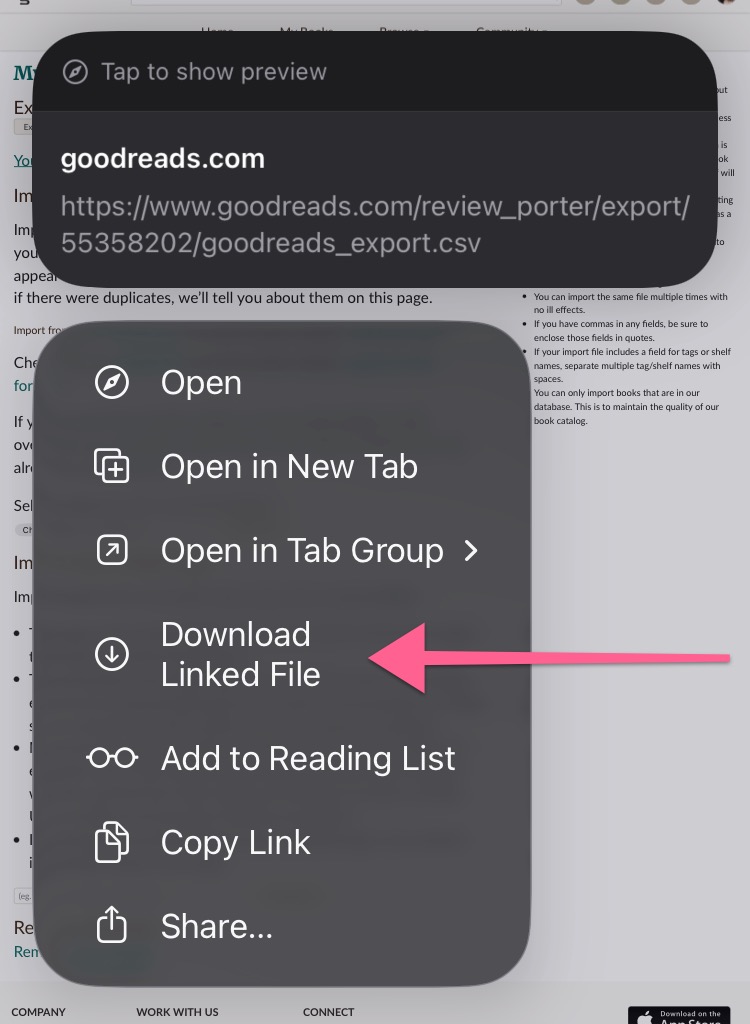
On a mobile device, try long pressing the link for a menu and click Download Linked File. If not on an iPhone, the menu may look different.
-
- Head over to https://booksirens.com/reviewer/import-goodreads
- Click Select Goodreads File and find the file you just downloaded from Goodreads
- Hit Submit
Note: If you have successfully downloaded the file from Goodreads but are having trouble uploading the file to BookSirens, feel free to email the file to support@booksirens.com as an attachment.